Cold Temperature Operations - Aviation Calculator
Calculate your minima and holdover times
Cold temperature corrections for instrument approaches have always been a headache for pilots, especially under pressure. Enter the airport elevation and temperature and get your corrected altitudes instantly. It also gives you holdover times for de/anti-icing, with a holdover timer that stays on your lock screen.
Key Features
Altitude corrections
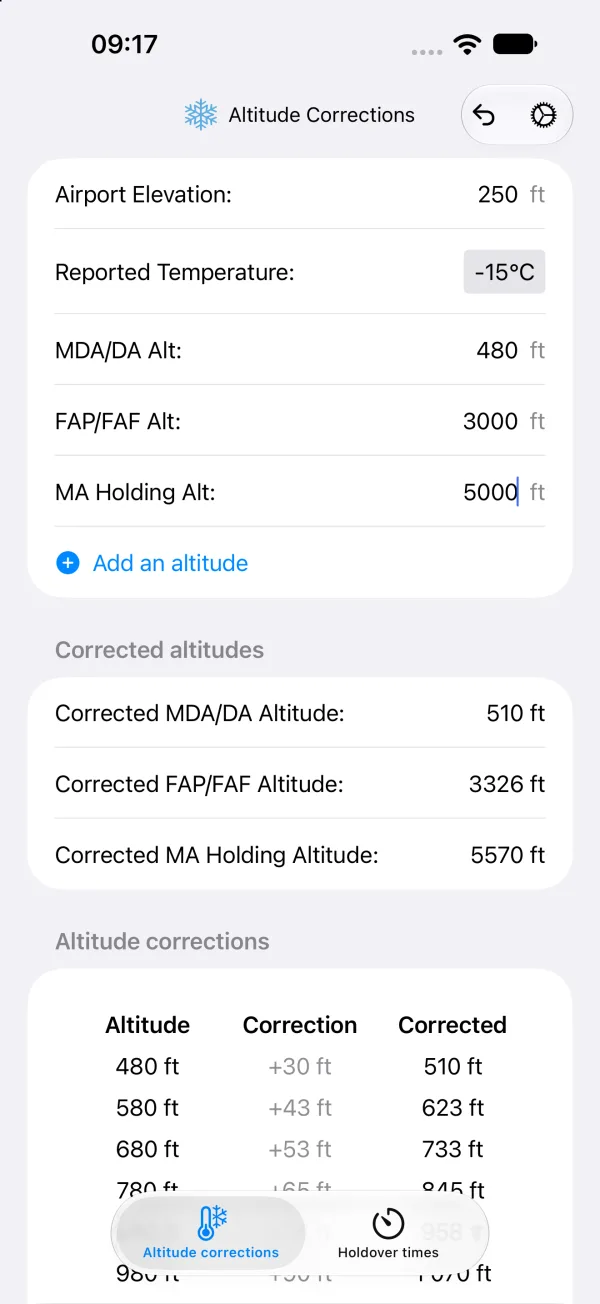
- Corrected altitudes: Enter airport elevation, reported temperature and MDA/DA, and the corrected altitude is calculated as you type
- More altitudes: Optional FAP/FAF and missed approach holding altitudes, plus as many extra altitudes as you need
- Correction table: A table of corrections and corrected altitudes for your approach
- ICAO table: Based on the ICAO cold temperature error table (200–5000 ft) with interpolation between values
- Units: Feet or meters, Celsius or Fahrenheit
Holdover times
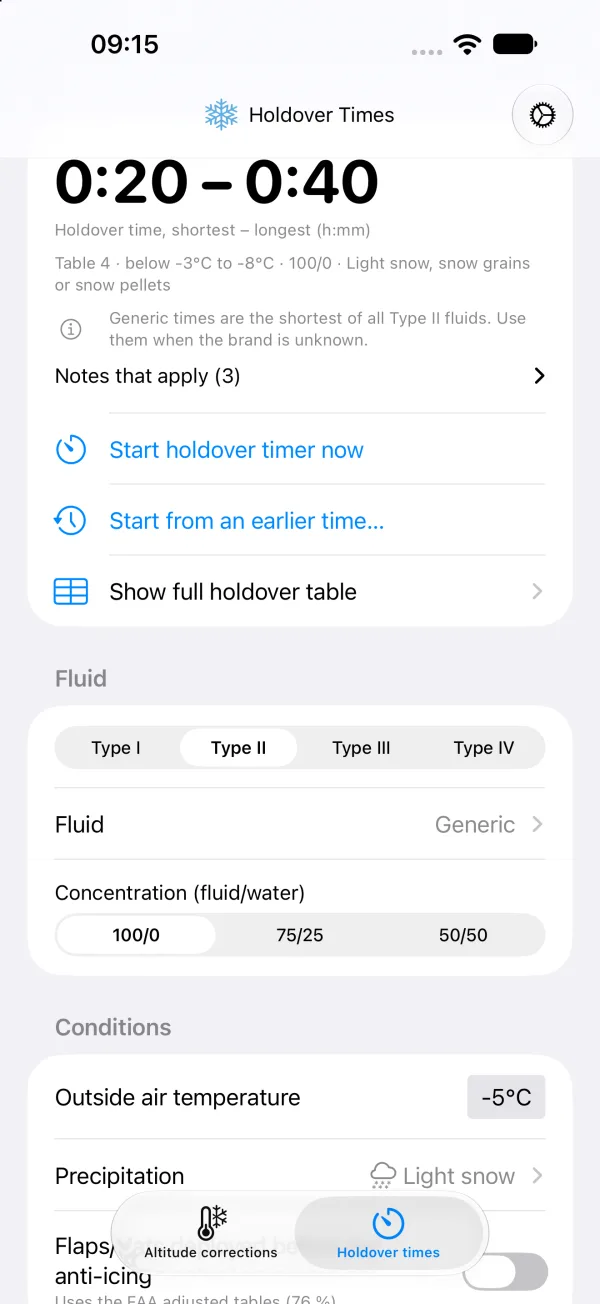
- FAA holdover tables: Holdover times from the FAA Holdover Time Guidelines, winter 2026–2027
- All fluid types: Type I, II, III and IV, generic times or a specific fluid brand, and fluid/water concentration
- Conditions: Outside air temperature and precipitation, including frost, freezing fog, snow, freezing drizzle and freezing rain
- Snowfall intensity helper: Find the snowfall intensity from the prevailing visibility
- Adjusted times: FAA adjusted tables for flaps/slats deployed before de/anti-icing
- Full tables and notes: Open the full holdover table and the notes that apply
- Updated data: The app checks for new holdover data editions when it starts
Holdover timer
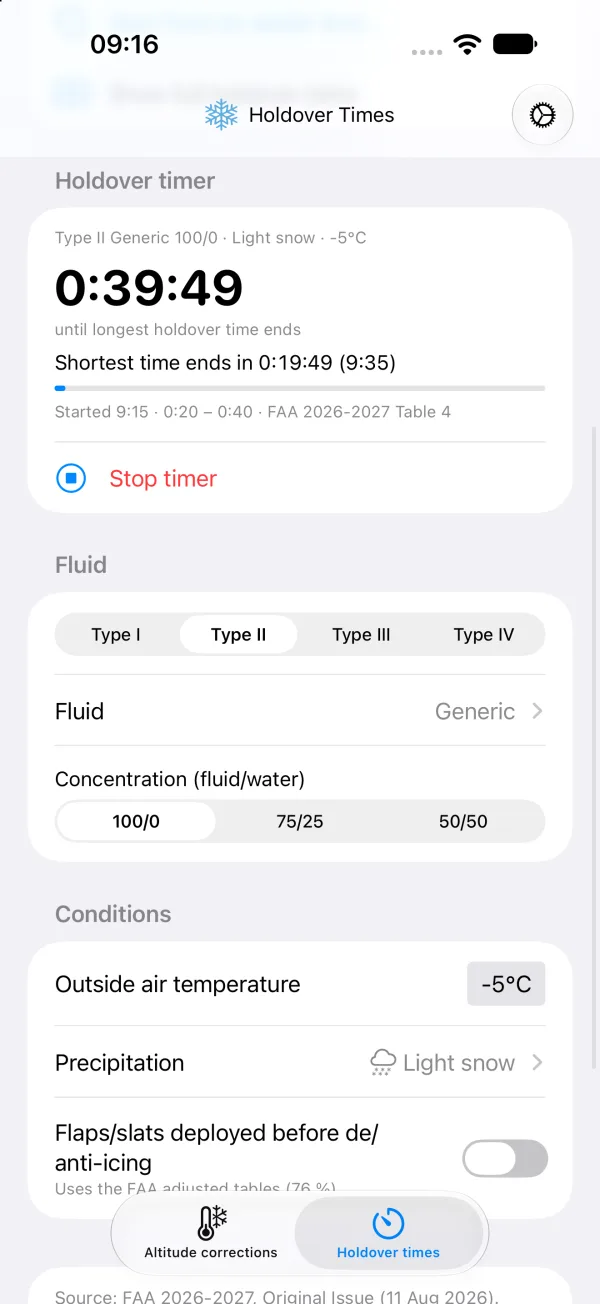
- Start now or earlier: Start the timer when the final anti-icing step begins, or from an earlier time
- Notifications: Alerts when the shortest time is reached, 5 minutes before the longest time ends, and when it expires
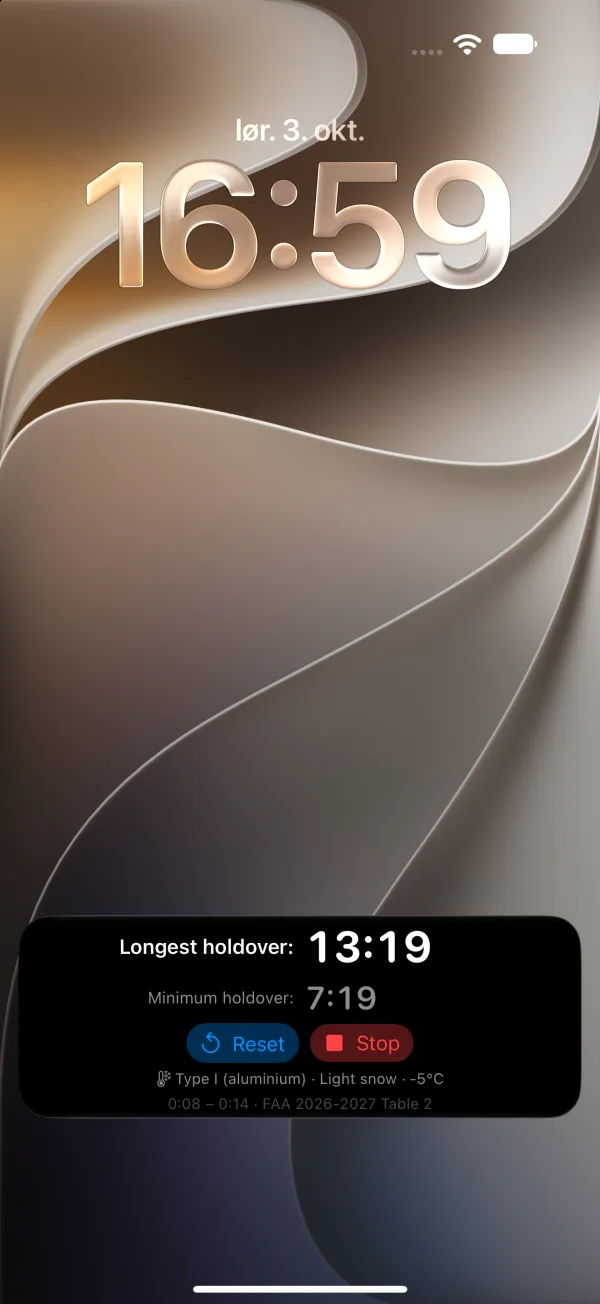
- Live Activity: Countdown on the lock screen and in the Dynamic Island, with Stop and Reset buttons
Perfect For
- Pilots: Correct approach altitudes and check holdover times before departure
- Flight Instructors: Teach cold weather and de/anti-icing procedures
- Aviation Students: Learn cold temperature corrections and holdover tables
Disclaimer
The app is intended for guidance only. Holdover times are estimates for departure planning and do not replace the pre-takeoff check, your operator’s procedures or the official FAA document. Always consult official resources and information.
Download
Cold Temperature Operations is a paid app for iPhone and iPad with no in-app purchases.
Download Cold Temperature Operations on App Store
Cold Temperature Operations - Safety in cold weather.
