ChronoCalc Pro - Time Calculator
The simplest and most powerful way to calculate time ⏱️
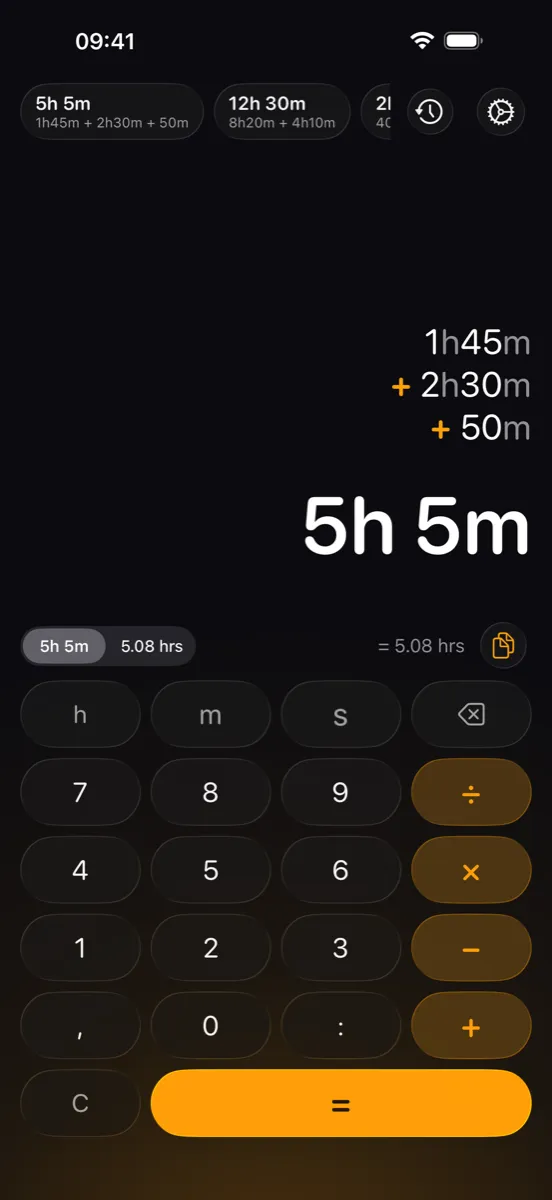
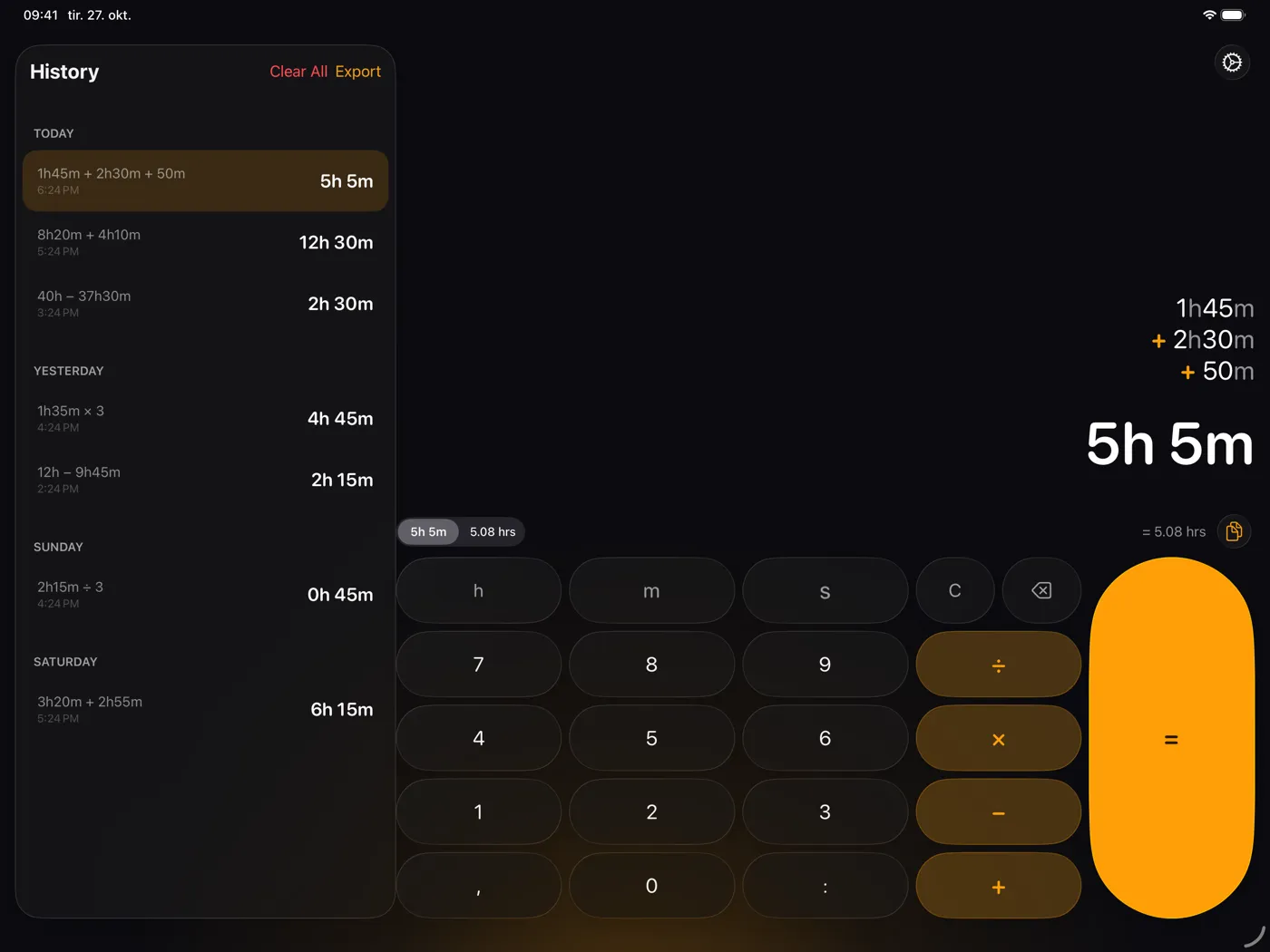
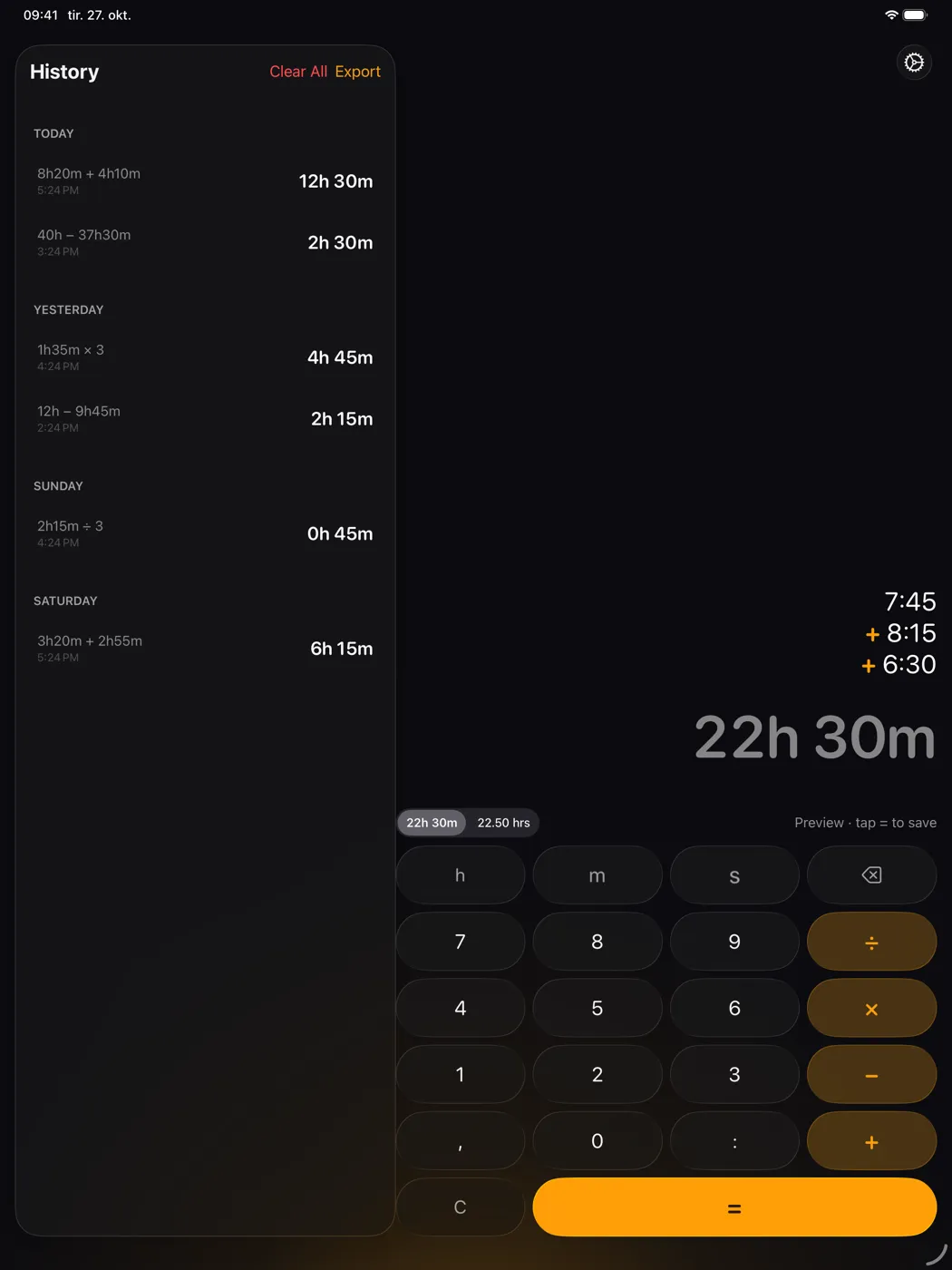
ChronoCalc Pro is a time calculator for iPhone and iPad. Add, subtract, multiply and divide hours, minutes and seconds, see the result while you type, and switch to decimal hours with one tap. Perfect for pilots, freelancers, consultants and anyone who needs to add up hours with precision.
Screenshots
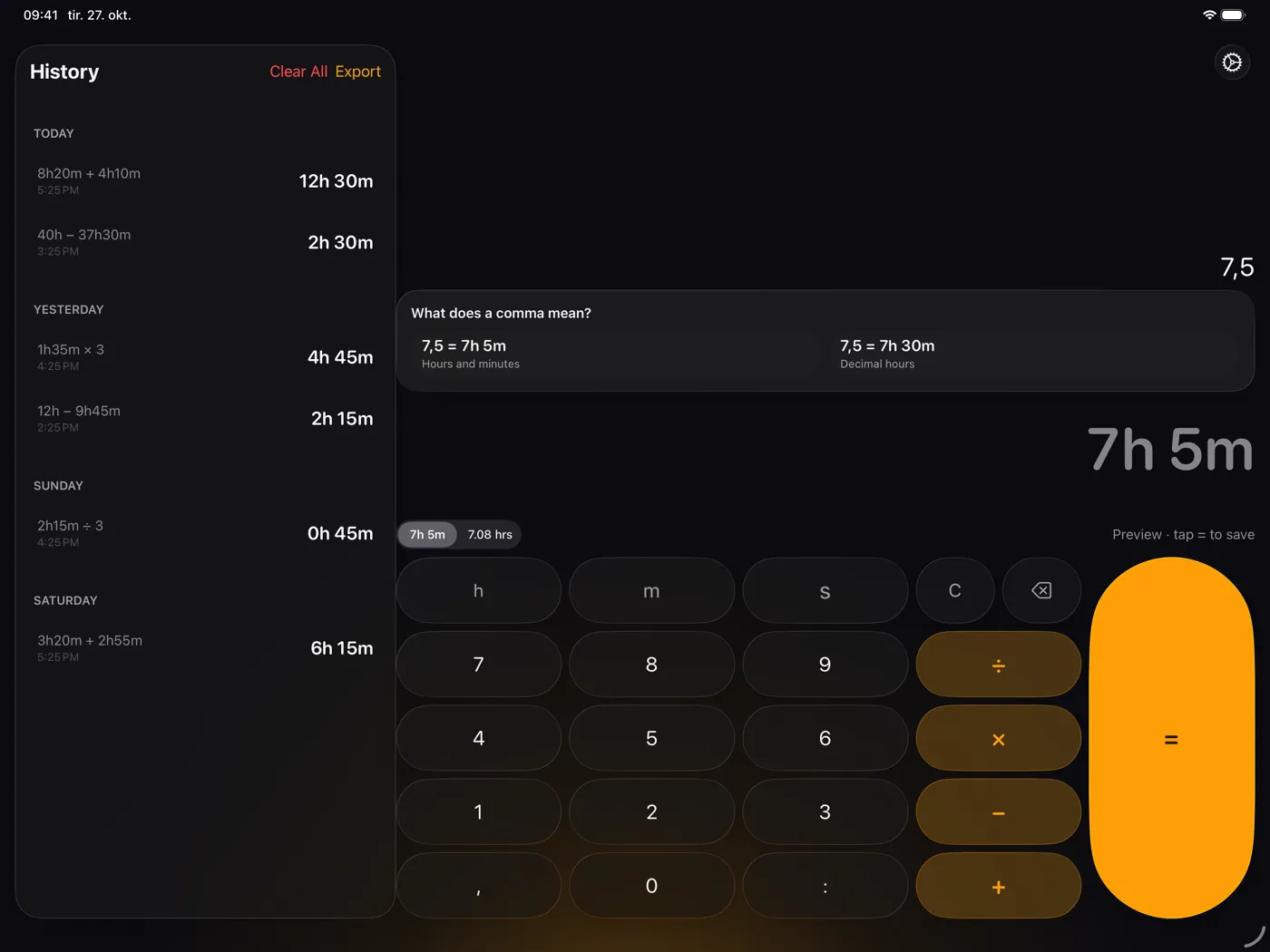
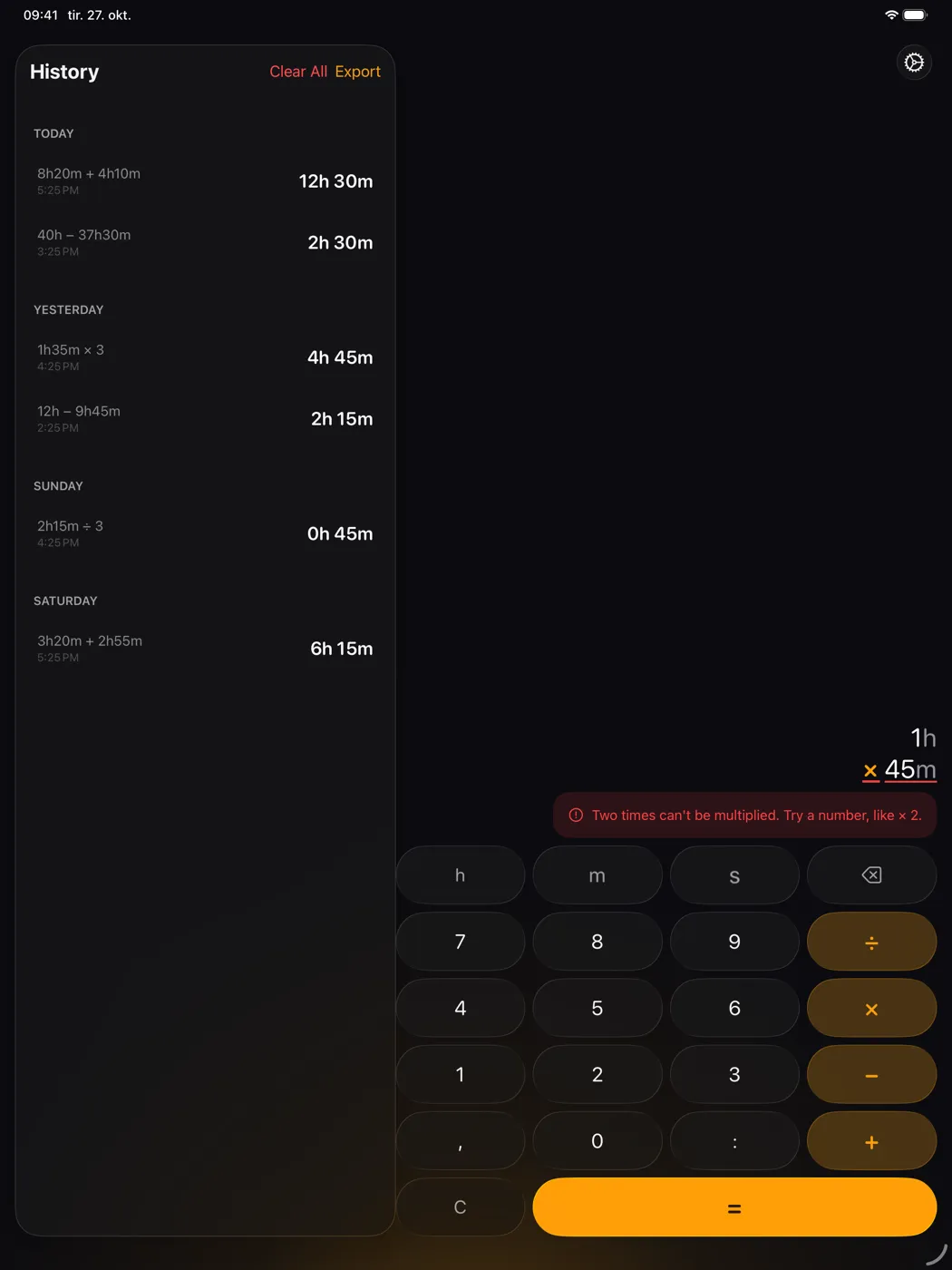
The first four screenshots are from iPhone, the last four from iPad.
Key Features
- Time math: Add, subtract, multiply and divide times without thinking about 60 minutes to the hour
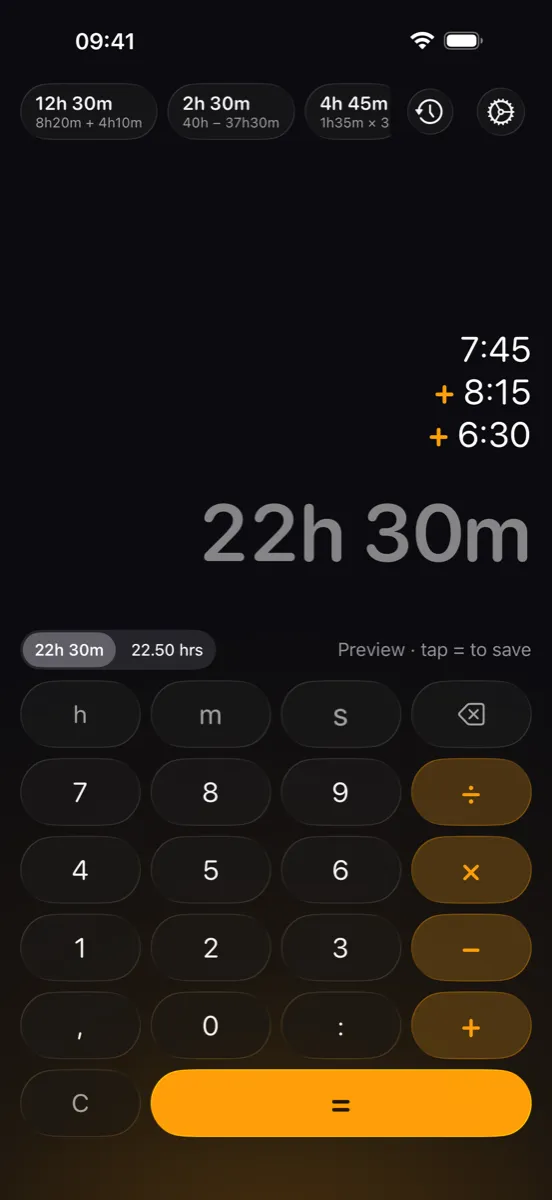
- Live preview: See the result as you type, then tap = to save it
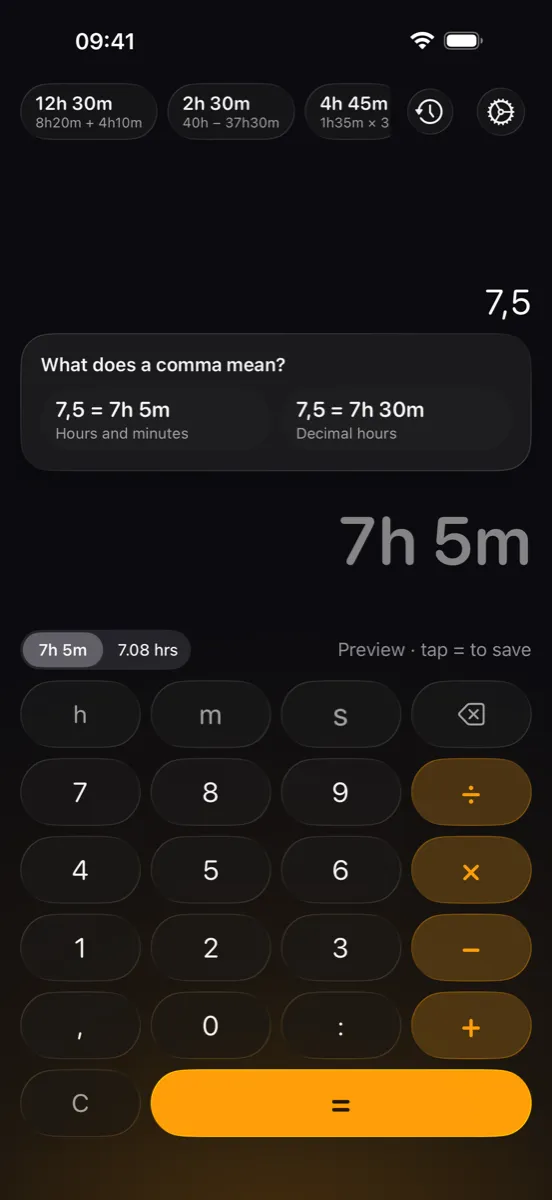
- Enter time your way:
1h30m,1:30or with a comma. The first time you type a comma, you choose what it means: 7,5 as 7h 30m (decimal hours) or as 7h 5m (hours and minutes) - Decimal hours: Switch between 1h 30m and 1.50 hrs right next to the result, with one or two decimals
- Seconds: Type and see seconds, such as 2h 15m 20s, and negative times
- History: Your last 100 calculations, one tap to reuse a result. On iPad, a full-height panel grouped by day. Delete single entries or clear it all
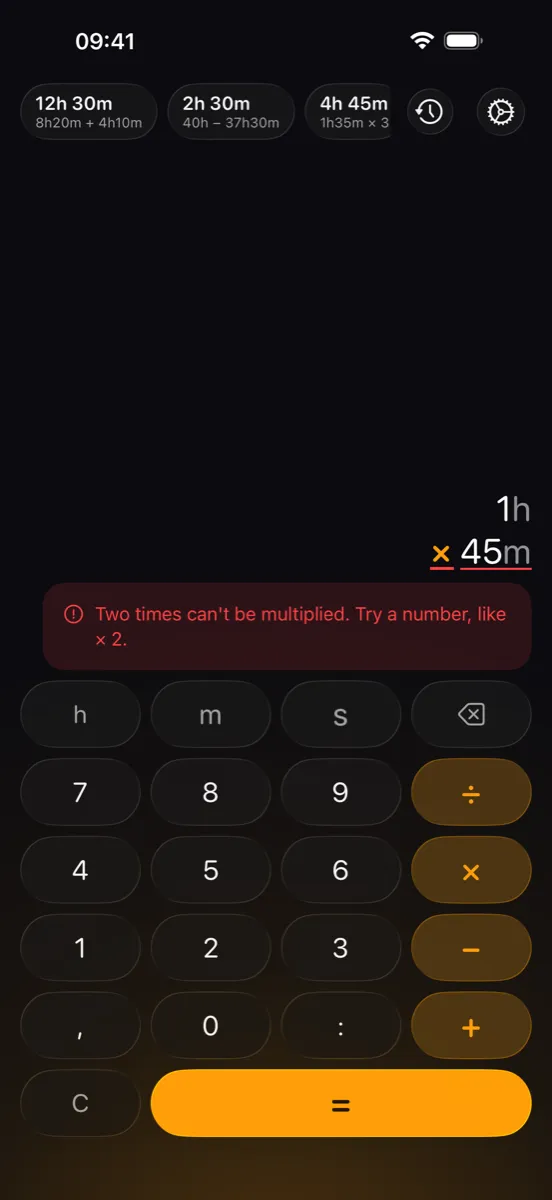
- Clear error messages: Plain-language hints show what went wrong and which line to fix
- CSV import and export: Import time logs or export your history, with comma, semicolon or tab. Duration columns are recognised in all seven languages
- Quick copy: Copy the result with a single tap
- Made for iPhone and iPad: Layouts for portrait and landscape, with Liquid Glass on iOS 26
- Accessible: VoiceOver reads times in whole words and announces every result. Keys support the Large Content Viewer, and animations respect Reduce Motion
In English, Norwegian, Swedish, Danish, German, French and Spanish, with a language picker in the app.
Perfect For
- Pilots: logging flight hours and calculating block time
- Freelancers and consultants: tracking billable hours
- Project managers: calculating project durations
- Anyone: adding up timesheets and converting time formats
Free
ChronoCalc Pro is free, and every feature is included. No ads, no in-app purchases, no subscription and no account. Your calculations never leave your device unless you export them yourself.
Download
Download ChronoCalc Pro on the App Store
Requires iOS 17 or iPadOS 17 or later.
Support and Contact
- Help and support: apptastic.no/support/
- Privacy policy: apptastic.no/privacy-policy/
- Feedback: [email protected]
ChronoCalc Pro - Time calculations made easy!
